2012
University of Illinois at Chicago, Electronic Visualization Laboratory
Concept and Story
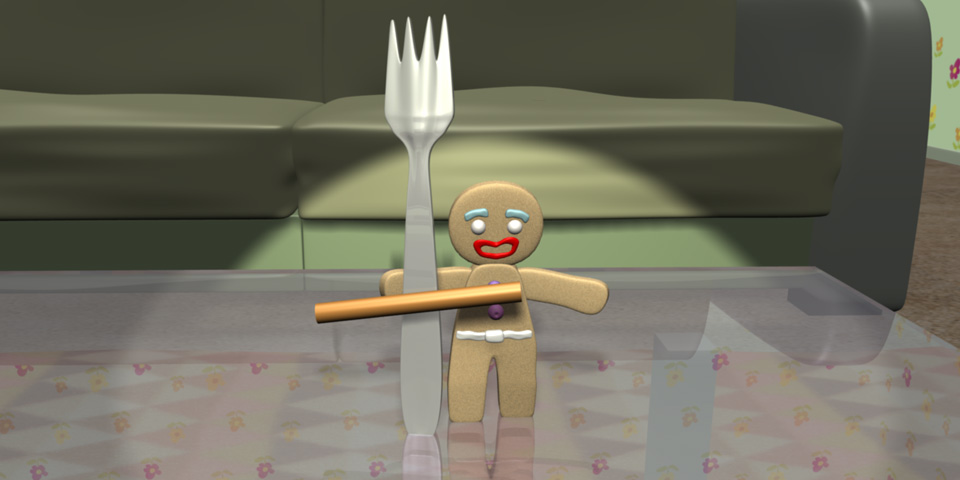
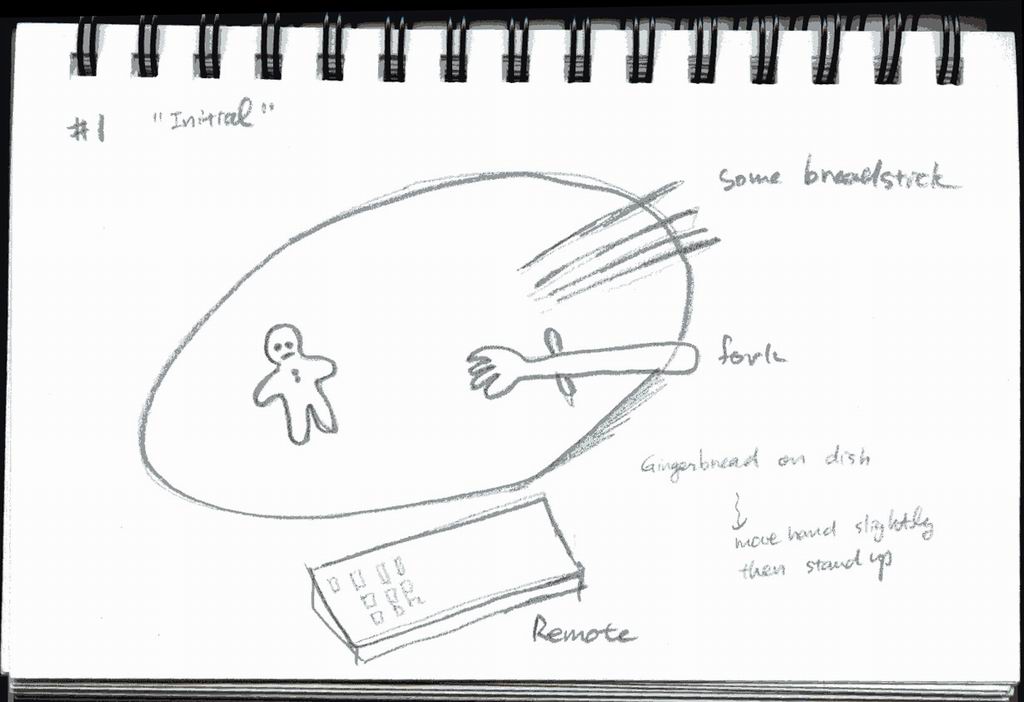
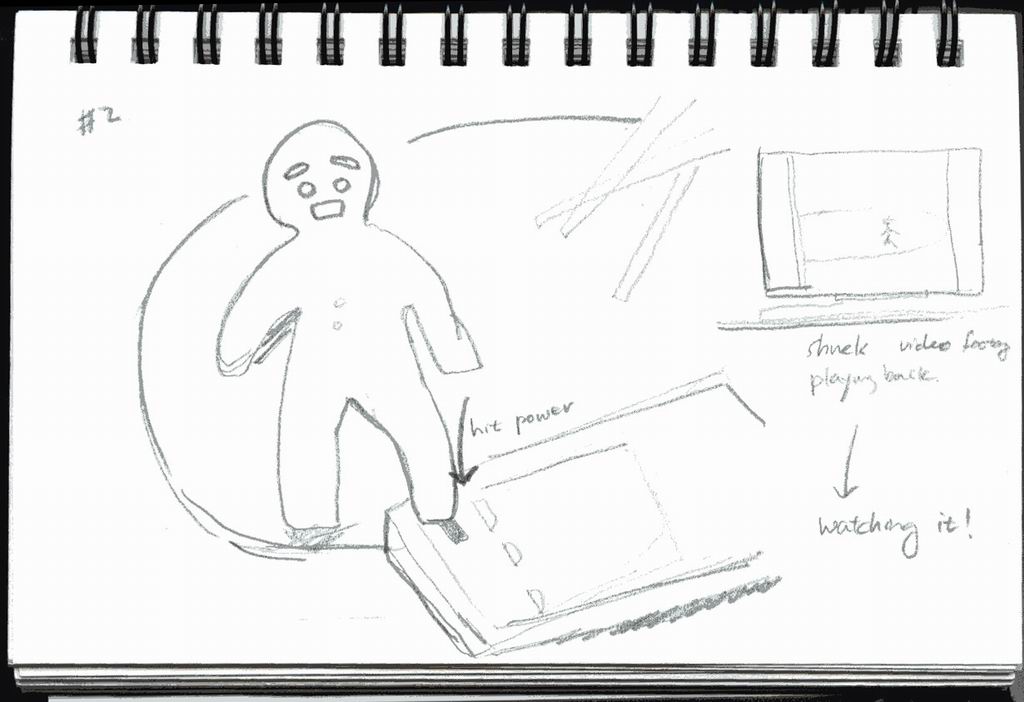
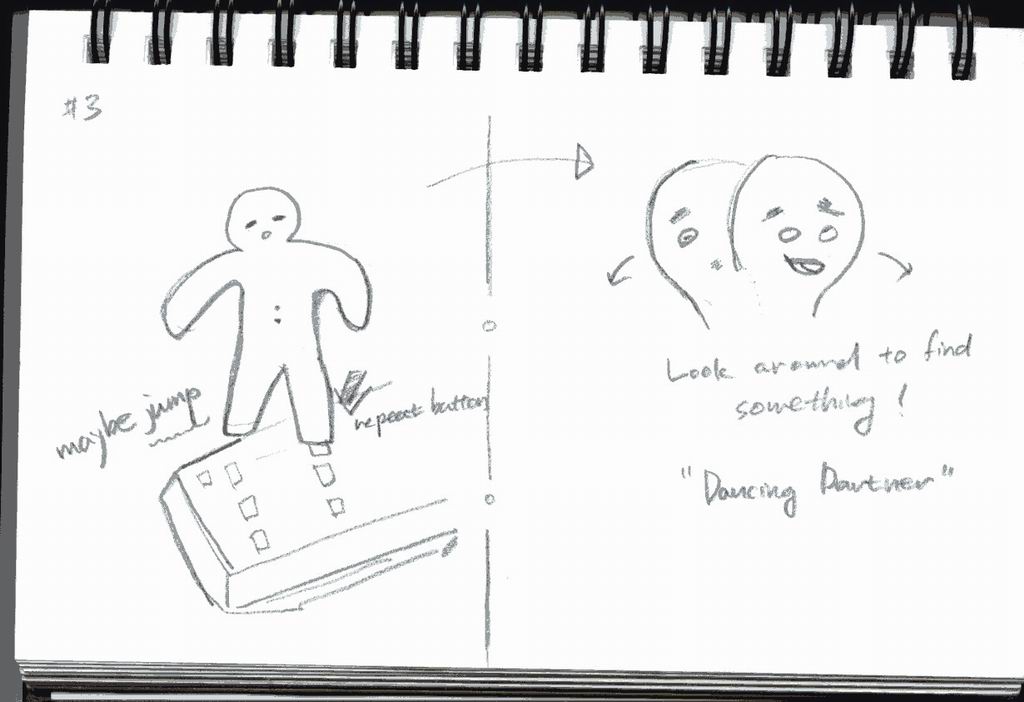
In this reference story, several non-human characters compete to win "Idol." Famous gingerbread character dances with a fairy. My story is: one gingerbread, like Gingy, mysteriously animated by itself and wakes up from the helpless dish on the tea table. And... watching the Idol contest and trying to mimic Gingy, "Dancing." Dance with whom? The story goes on... I modeled and shaded the whole scene and character using open source Blender tool. I used keyframe skeleton animation and shapekey (similar to blendshape in Maya) for facial expression in the same tool. Note: This page includes my personal experience of Blender software to create "Shall We Dance?" project. All comments are not thoroughly verified. Therefore, there could be a much better way or it could be simply a "do not know" case.
Storyboard
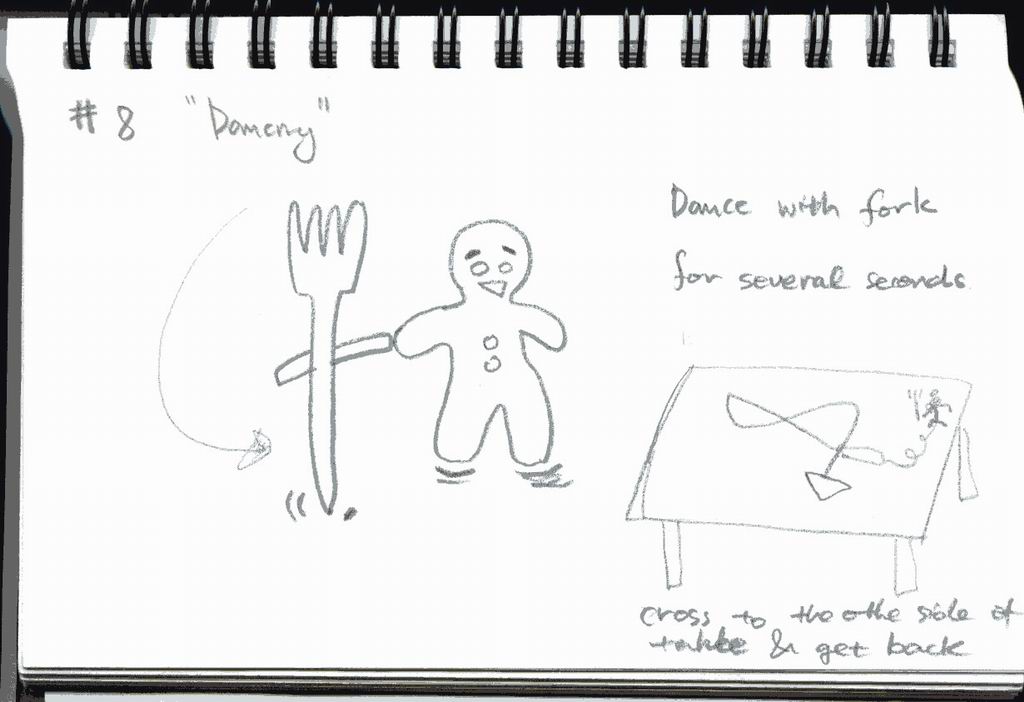
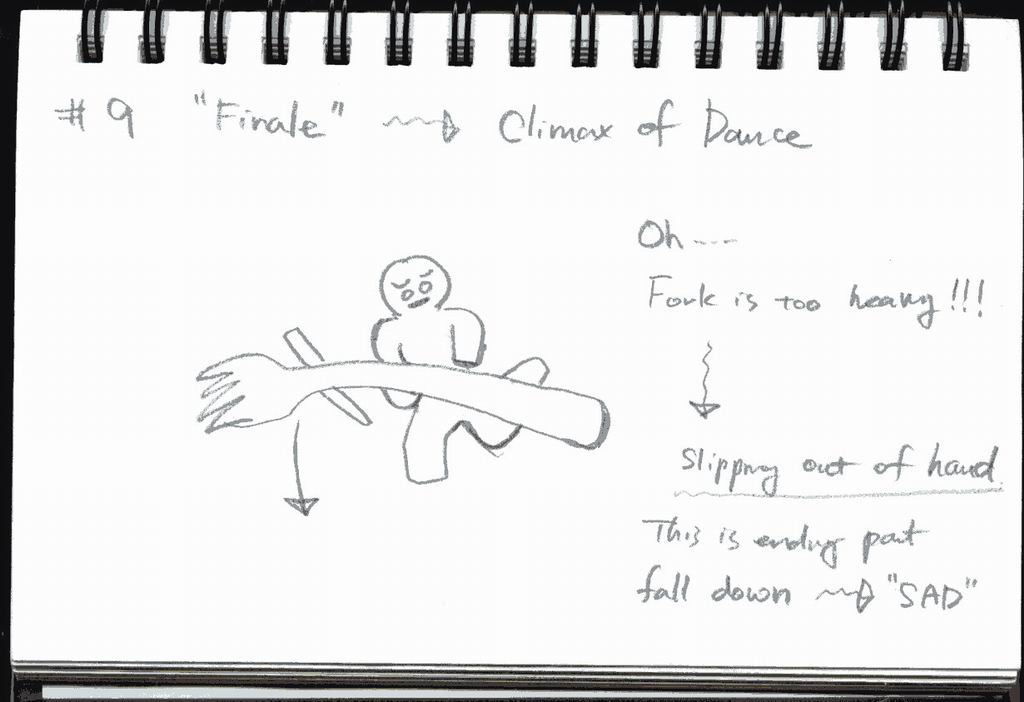
The storyboard panels outline the complete narrative arc of the animation, from the gingerbread character awakening on the tea table to the final dance sequence.
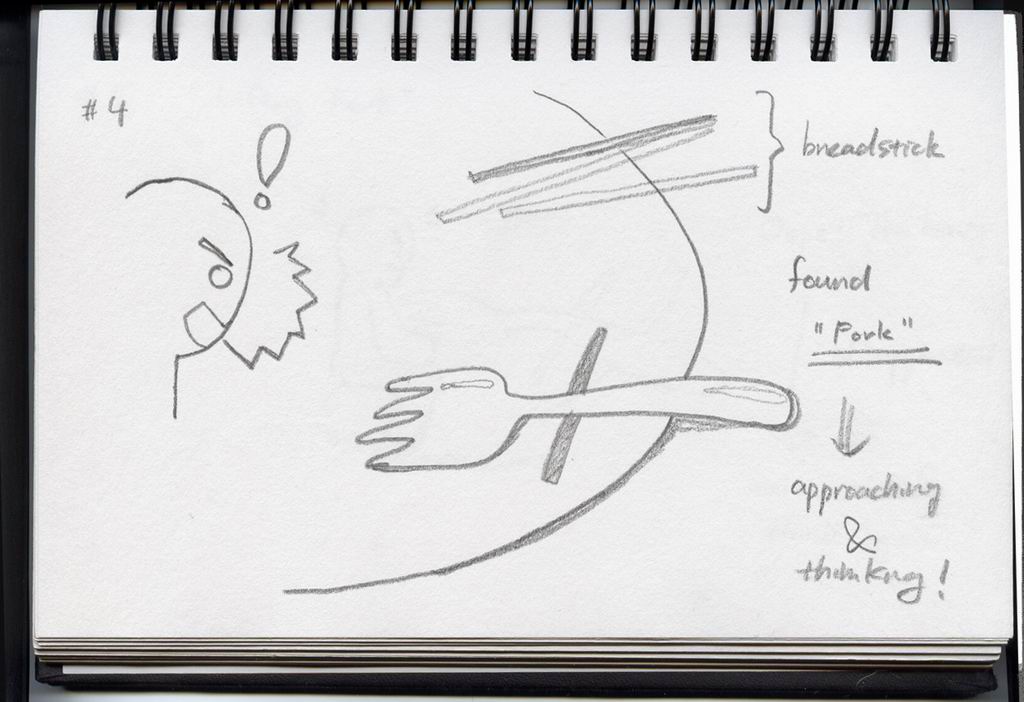
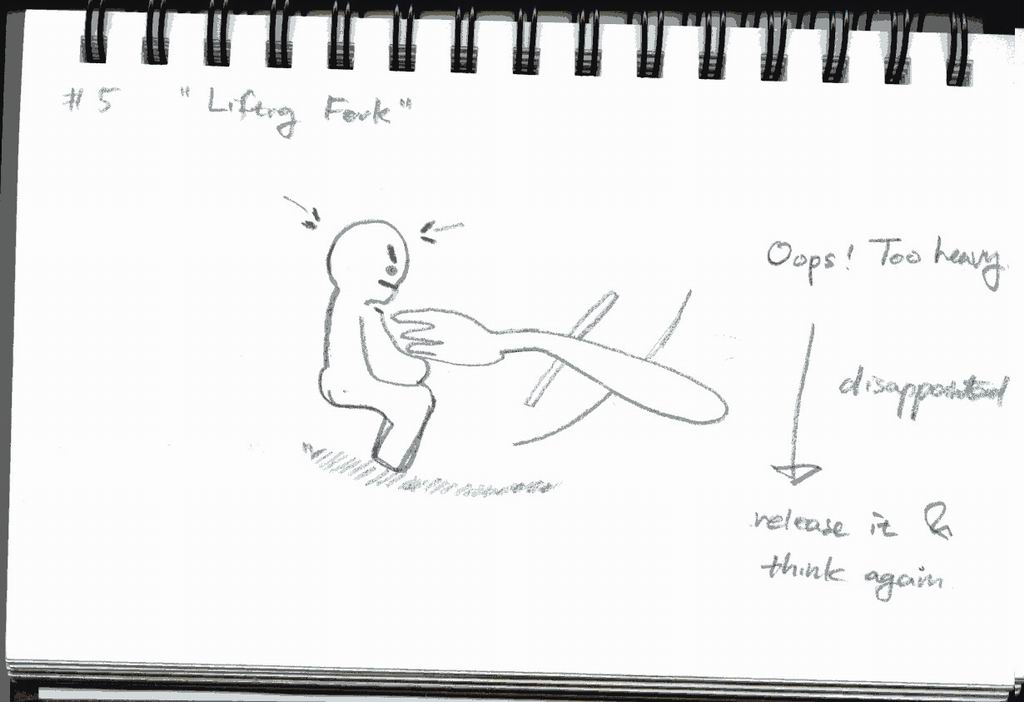
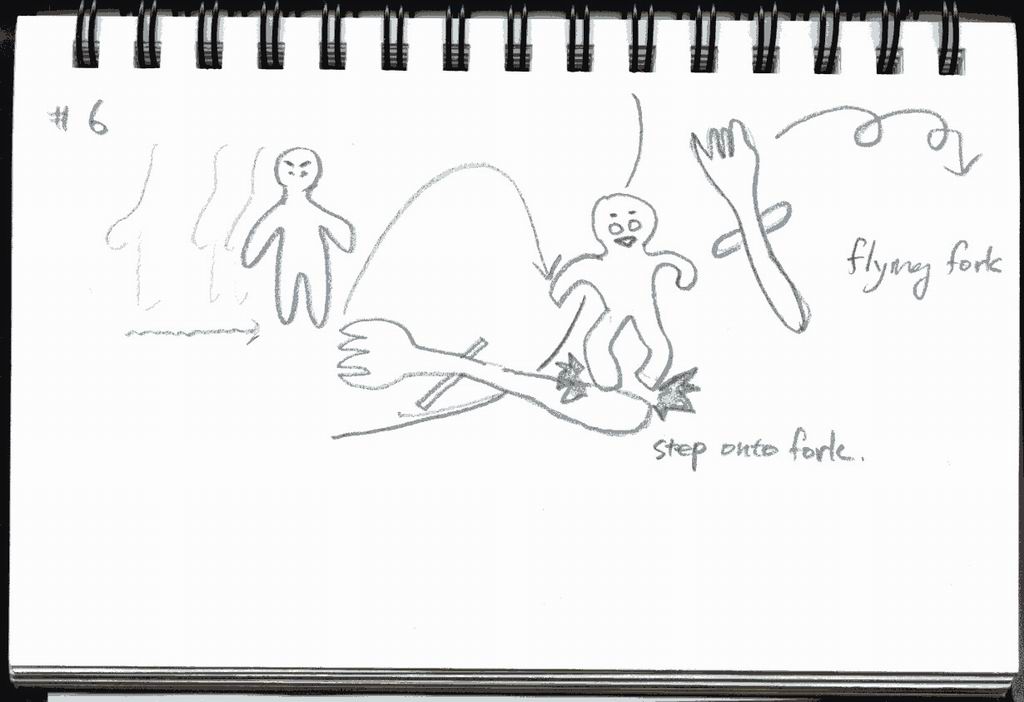
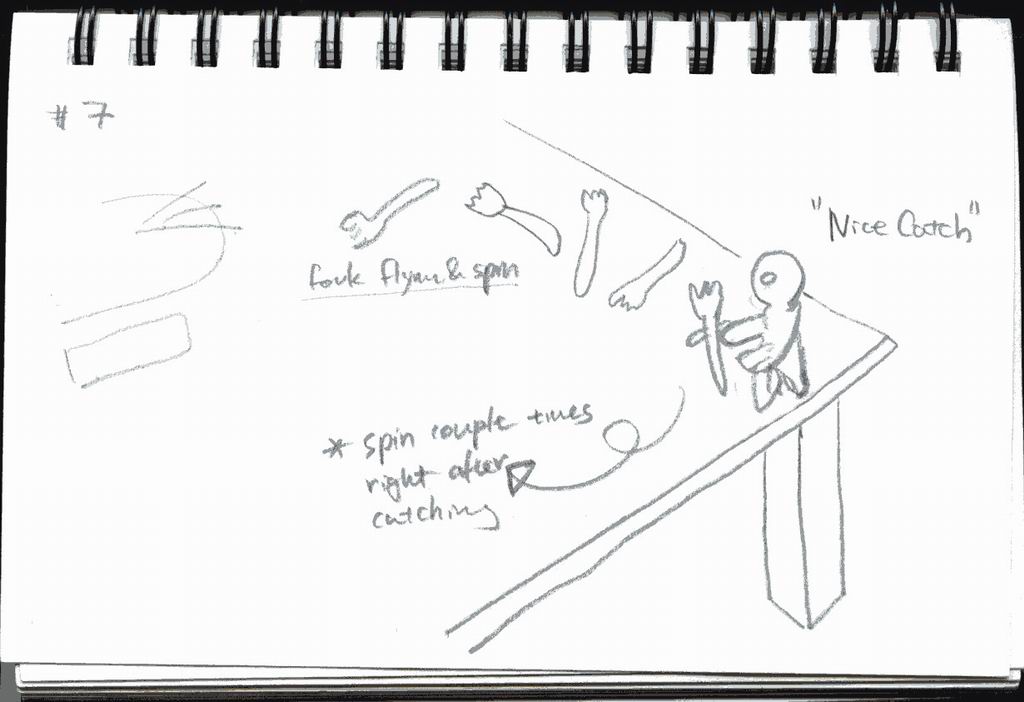
Final Animation Video
60 seconds computer generated animation (cover and credit not included in this duration).
Final Animation Video
Modeling
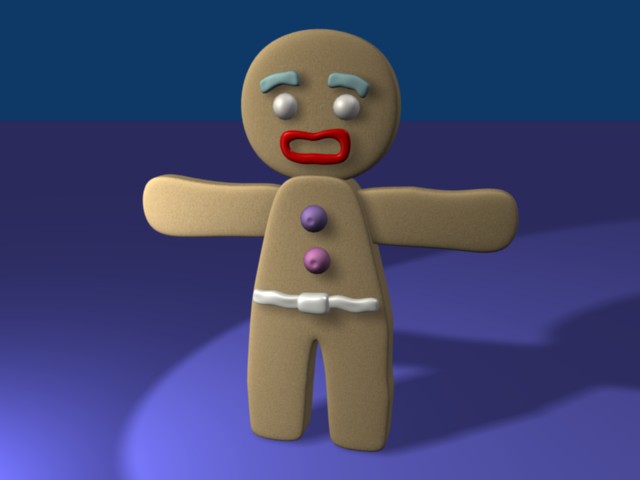
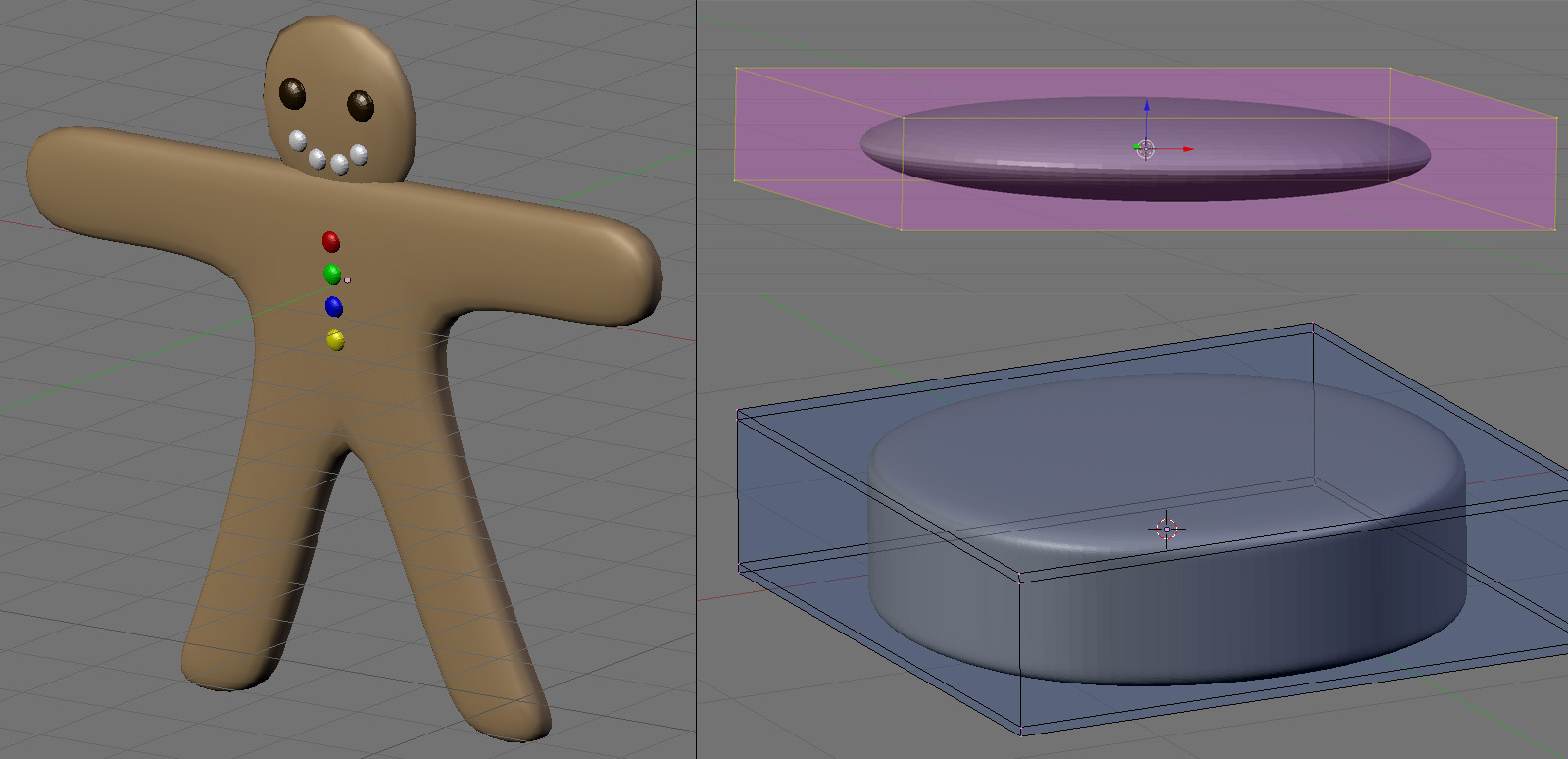
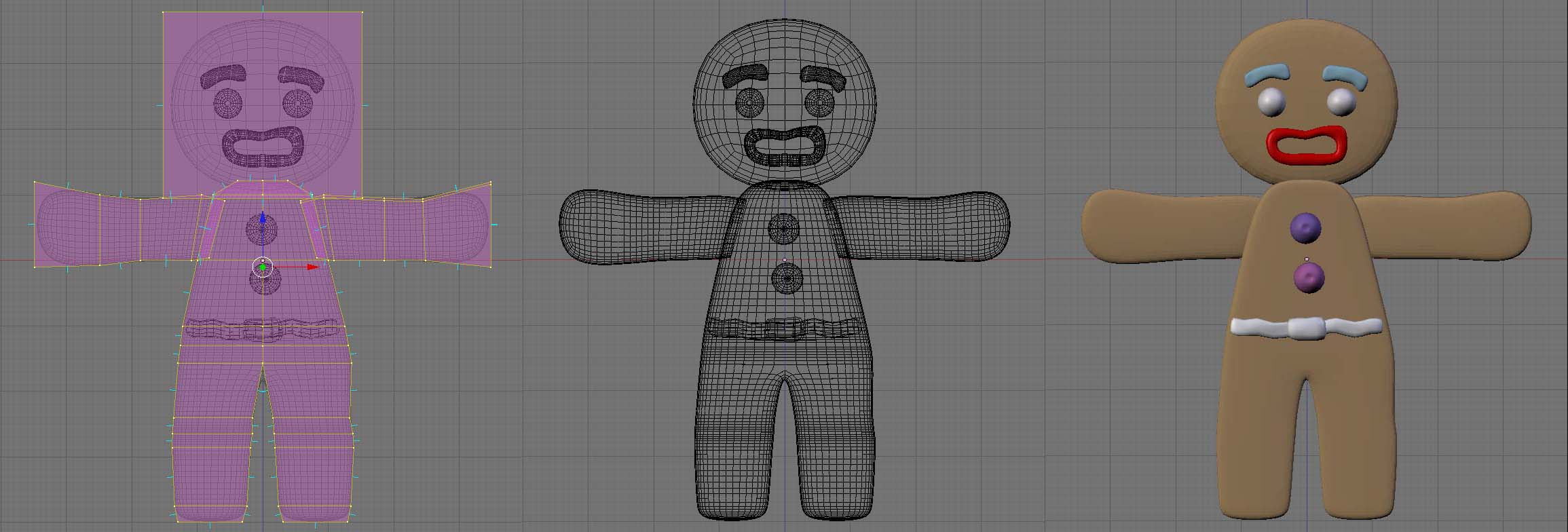
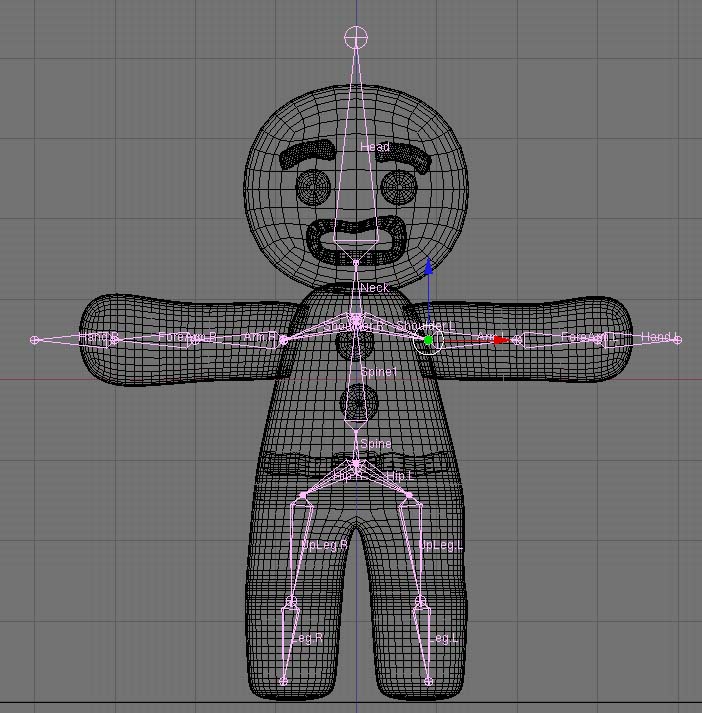
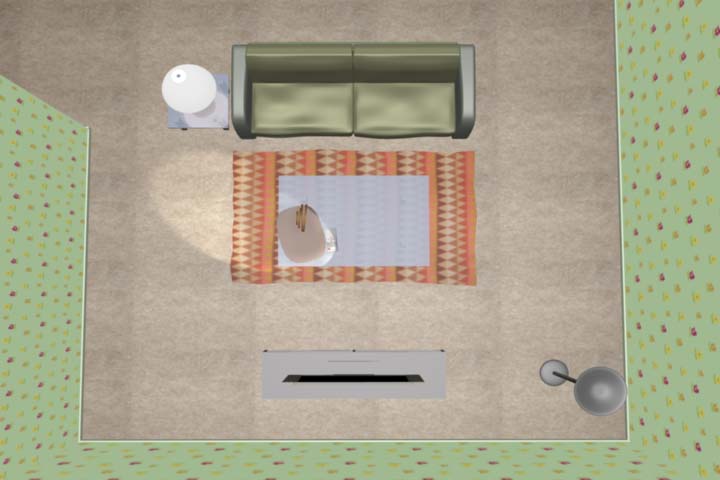
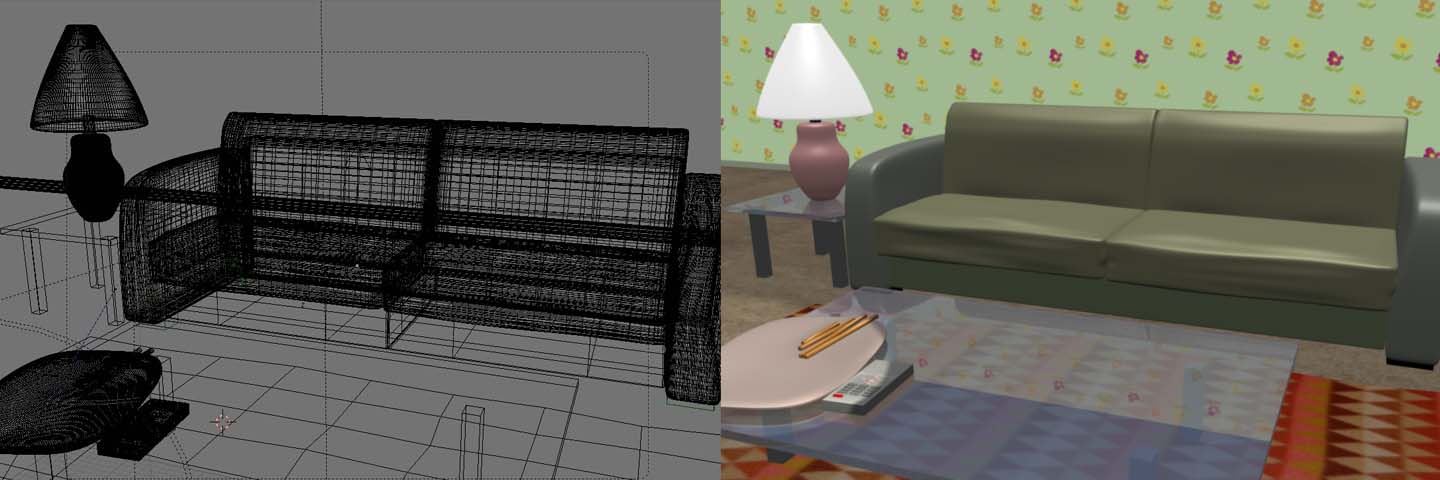
The whole process of modeling was done mainly by Blender primitives (cube, sphere, cylinder) and extrude operation with mirror modifier. Many of the mesh objects also use subsurface modifier to reduce the complexity of controlling mesh elements (vertex, face, edge). This is the greatest way of effective modeling. Most modern CG tools support this more or less. The gingerbread character started with a cube object and was modified further in detail. One important aspect of character design was to make it anti-symmetric. All parts of body changed after mirror operation so that it looks slightly different from left to right (this may not be too obvious at a glance). The basic shape of body was thickened compared to the tutorial model to give more sense of 3D volume. The edge of the outline designed not too flat by adding another control vertex to prevent too smooth round shape of the subsurface. Then, finished the rest of body part with eyes, eyebrows, lip and waist belt. Construction of character armature was not easy at the beginning. The pivot point of the armature object is based on the first bone's root. I started with arm bone and this caused the pivot offset, not good for transforming the whole body especially rotation. I made a dummy empty object in the center of the armature and parented the armature to this empty so that I can better control rotation and translation later on. To get better animation, more bones were added (upper arm, arm, upper leg, leg, neck). Since I am not making whole complex environments, space is limited to a small room with a few types of furniture. All of the components made by simple plane with a texture on it. I spent some time to make the couch but it is not seen often in the final animation. A tea table is an important object since it is the main stage of "Shall We Dance?" — even though it is made of a cube, reflection/refraction makes it look good with a blending of floor material. Reflection effect was slightly reduced by setting lower ray mirror and higher fresnel value in Ray Mirror property.
Light & Material
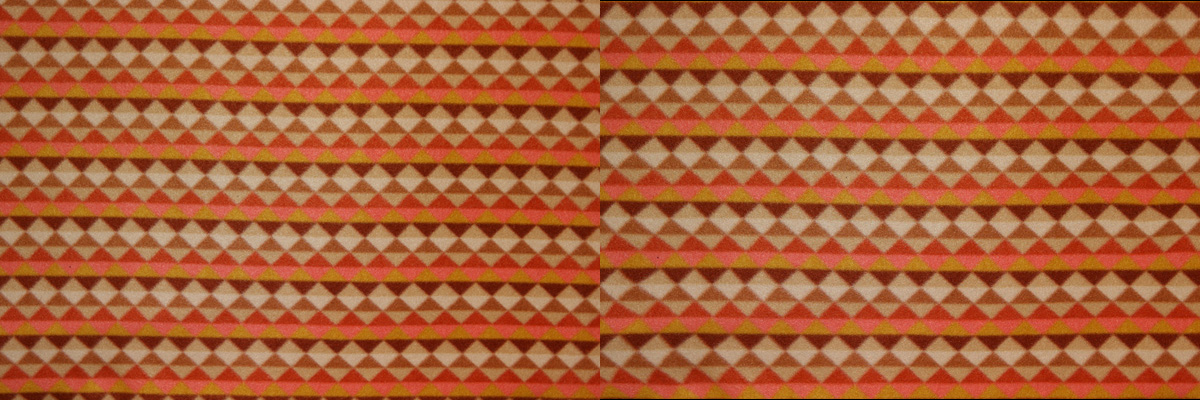
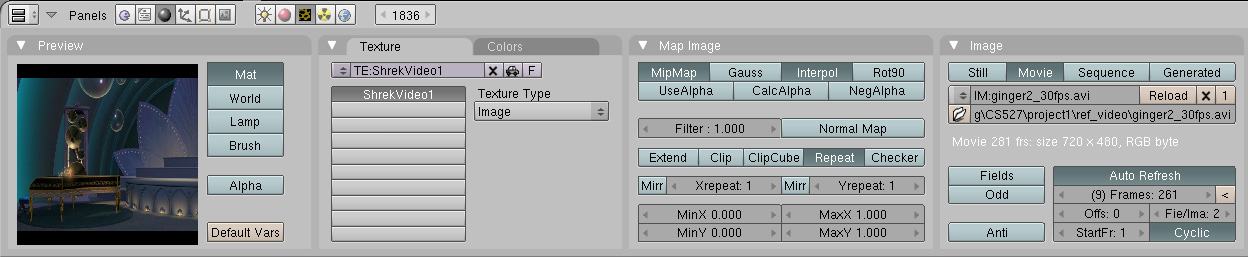
Light & Material is not an easy topic in CG. It needs lots of experiments to find the best parameters to achieve the right color and feeling. Due to the rendering time in the final stage, only a few lights were added in the scene. One main light, one character spotlight, and two lamps for floor light and table one. Character spotlight tracks gingerbread man all the time to brighten its color and generate shadow (soft buffered shadow used). Most of the objects use pretty basic default material with different color and emissive value. The emissive value was used to brighten some surfaces instead of using expensive accurate radiosity rendering option. Important material was tabletop reflection/refraction. Floor carpet and the wall have textures applied to them. Floor texture is a photo of my rug and a bit touched in Photoshop to make better color. When a photo is not aligned nicely, Photoshop has a nice tool to shrink/stretch seamlessly — it is Liquify under the filter menu. The last texture used is a video texture applied to the TV screen to show video footage into the scene. One flaw of this feature is that there is no way to control frames of the video sequence — either play once or repeat. Can set offset or segment but cannot control when it should start playback and stop.
Animation
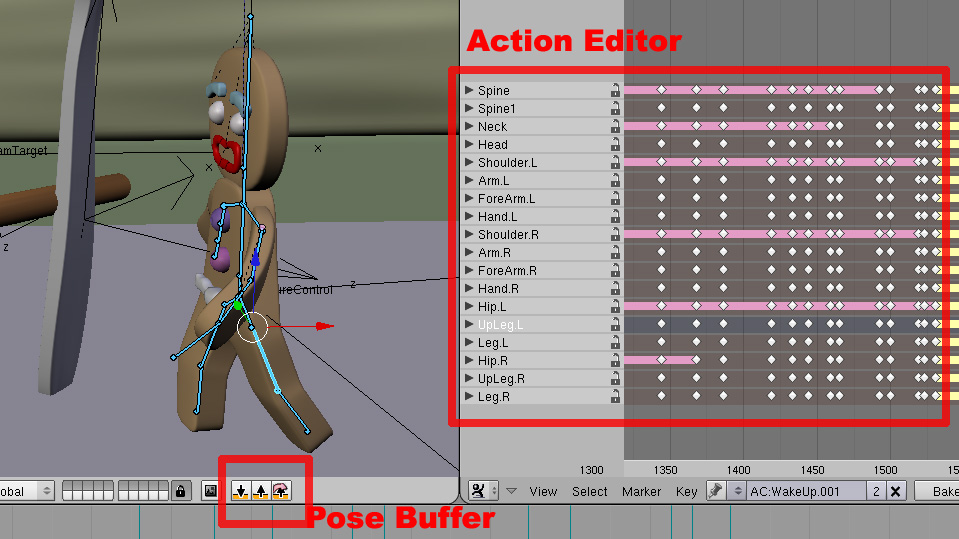
In addition to skeleton animation, the main character has shape key animation (RVK Relative Vertex Key). In this method, mesh replicates multiple sets of vertices and interpolates in-between to generate animation. Compared to bone animation, this shape key approach could give smoother and more detailed animation. Generally good for facial expression. In this project, the gingerbread man character's eye, eyebrow, and lip have shape keys. Armature Pose Buffer was used to copy one pose and paste it onto other frames — perfect for making cyclic animation like walking. Blender Action Editor is designed for NLA (Non-Linear Animation) similar to layered animation or animation tracks in other packages. During "Shall We Dance?" I used the action editor extensively even though it was not intended to migrate to NLA. Rotation of object or armature — without typing numbers on the transform window, direct manipulation of rotation was not easy. All transformation is based on global coordinates. In many cases, object local coordinate is very useful to animate it. Blender's IPO curve editor provides the ability to move key values, cut connections before and after key value, and change curve type to linear/spline/etc for fine control of animation.

Rendering
There were lots of big & small trouble during this project using Blender but rendering is far more critical at the end. "Shall We Dance?" has total 1,827 frames (60.9 secs at 30 fps). Since there are some objects that need inevitable raytracing calculation to generate proper shadow/reflection/refraction, rendering takes tons of time. Most of the frames took about 2 to 4 minutes per frame in 720x480 resolution on a decent machine. This sums up total 53 to 100 hours to finish final rendering sequences. This cannot be done on a single machine within limited project time. Rendering frames were distributed to 5 machines (3 Core 2 Duo, 1 old Xeon, 1 old PowerPC). The total estimate of rendering is about 20 hours with all those systems running simultaneously. One difficulty with this distributed rendering was that Blender does not have batch rendering feature. Initially, I estimated one minute per frame with various frame tests on a dedicated system but suddenly the scene requires much more time for the final job. I had to reduce some details of the model (number of subdivision on subsurface). One consideration might be to use optimized Blender build (SSE2, SSE3, and 3DNow! optimized Blender — rendering times are 30% faster).
Lessons Learned
Better Estimate of Rendering Time: To finish the job on time, one must count for final rendering time carefully. Sample rendering from various scene frames helps a lot. If only a simple scene is considered to estimate total rendering time, you will run out of the schedule. Rough Sketch of Scene Composition & Animation: After finishing storyboard or whatever idea sketch, it was very useful to make a quick draft of motion of all objects in the scene. This gives an opportunity of adjusting camera walk, the speed of motion, timings and etc. Once started with real model and animation, it is relatively more difficult to change these things afterward. A common concept of LOD can be applied here — "Divide and Conquer." More Realistic Motion: This is the most important part of the job. In addition to the realism of visual quality, the realism of movement can increase the overall quality of animation enormously. A rhythm of motion — animation of each object in the scene should have a sense of rhythm. Fast / Vivid / Neutral / Slow / Pause. The main character's rhythm is not well refined. Some lack of pausing between important changes in emotion and scene. It would be much better with nonlinear motion & storytelling — sometimes fast, sometimes really slow and even pause a while. Would I like to use Blender ever again? I was not so willing to use Blender before due to its strange user interface. But Blender is so unique. Its early learning curve is really stiff. Anyway, with this first animation project, I could also find many good aspects of Blender. Its features and results are pretty decent and I got used to it. Therefore, I may use Blender again later if necessary. But still not the first choice.
References
Blender Wiki Manual (http://wiki.blender.org/index.php/Manual)
Introduction to Character Animation, Blender Tutorial, http://wiki.blender.org/index.php/BSoD/Introduction_to_Character_Animation
Your First Animation in 30 plus 30 Minutes, Blender Tutorial, http://wiki.blender.org/index.php/Manual/PartI/Your_First_Animation_in_30_plus_30_Minutes_Part_I
Dreamworks Shrek 2: 'Far Far Away Idol' in supplemental footage